Nestfolio · iPhone, iPad and Mac
Your home,
fully inventoried.
Nestfolio records items with photos, receipts, warranties, maintenance, insurance and supplies – locally on your devices and in your iCloud.
Download on the App Store iPhone, iPad and Mac · free, Nestfolio Pro as a one-time purchase
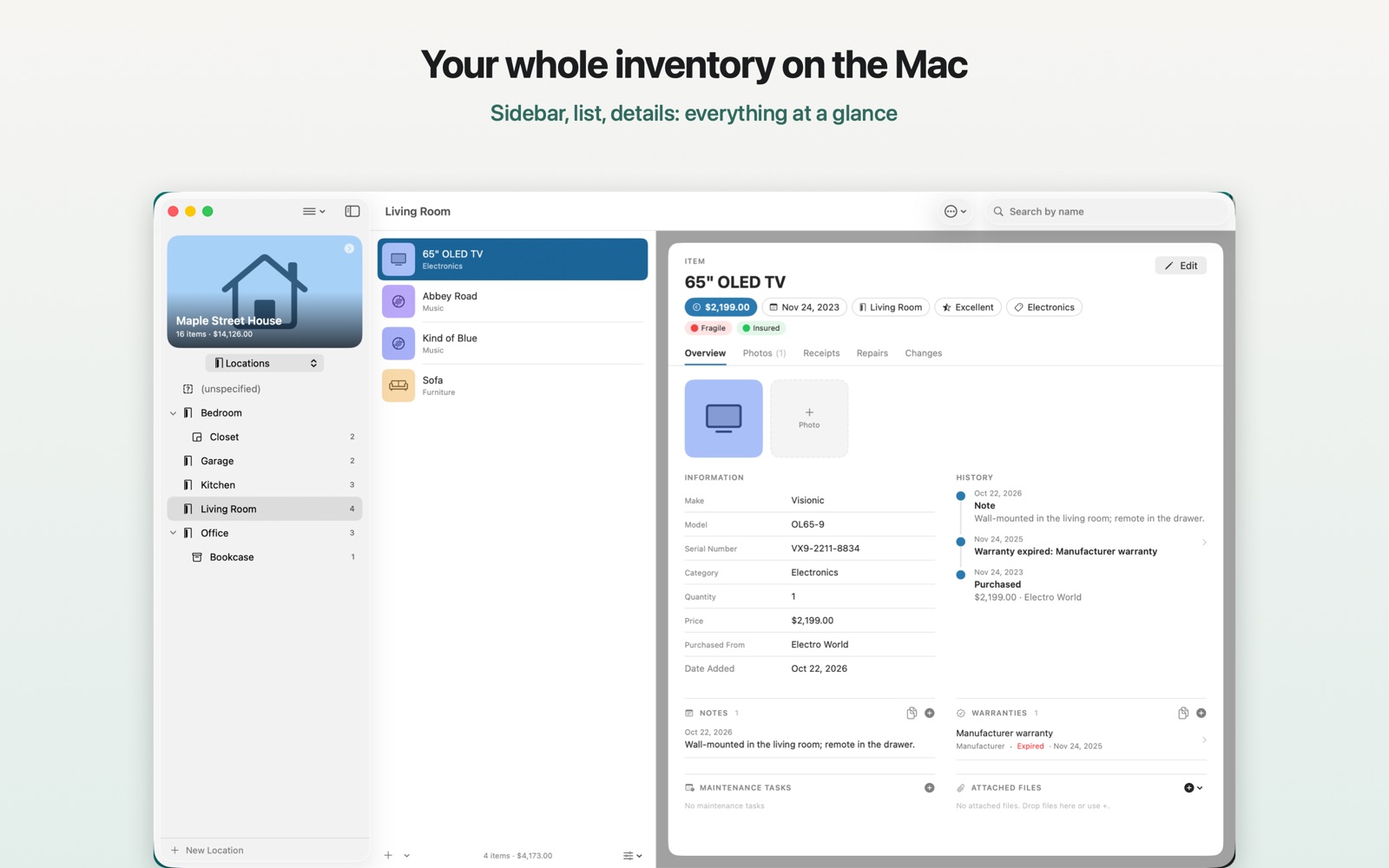
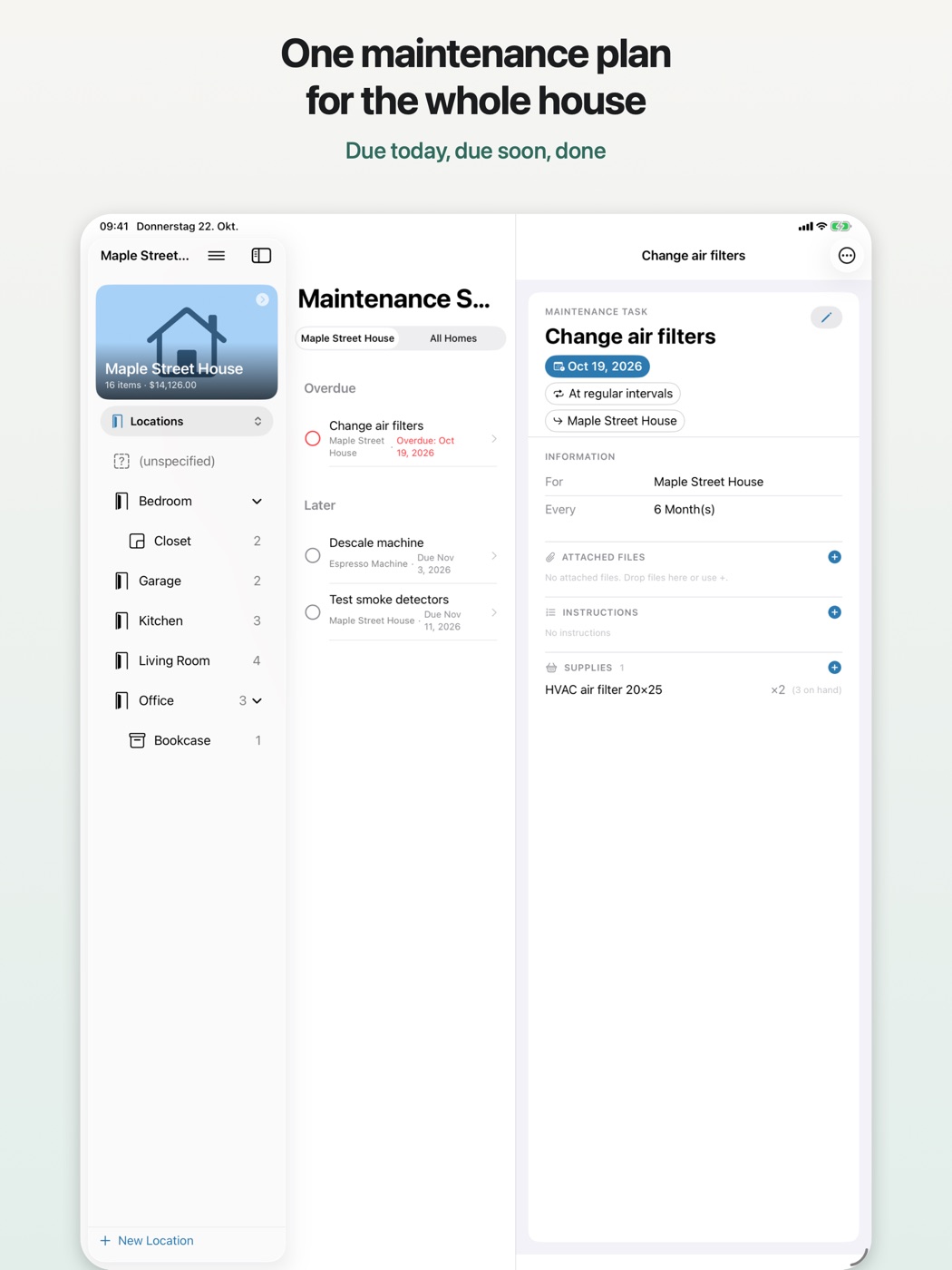
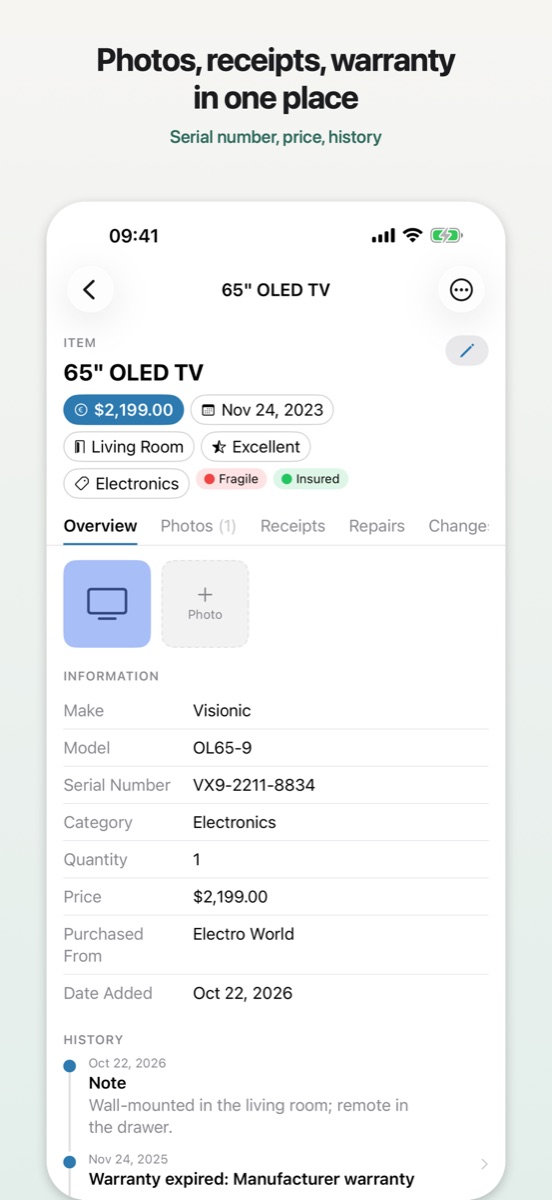
What Nestfolio looks like
On the Mac with sidebar, list and details; the same data on iPhone and iPad, synced through your iCloud.
What Nestfolio does
- Items with everything that belongs to themPhotos, receipts, files, notes, serial number, purchase price; barcode scanning with product lookup, receipt scanning with text recognition
- Locations as a treeHouse › floor › room › cabinet, plus containers and moving boxes with packing lists
- Warranties and maintenanceReminders before expiry, maintenance tasks with intervals and instructions, repair and change history
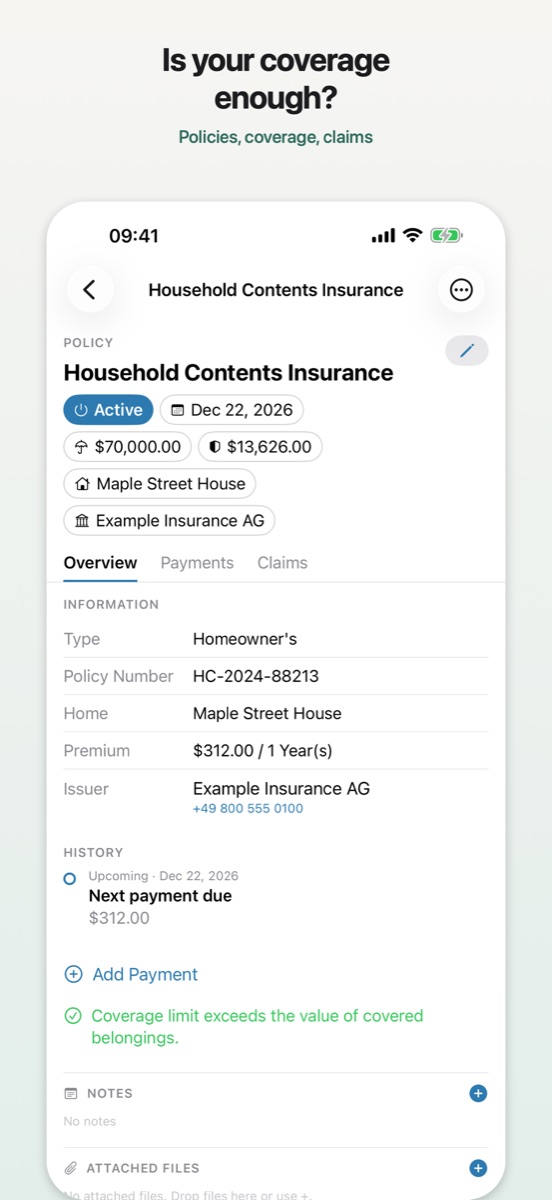
- Insurance in viewPolicies with coverages, payments and claims; a check whether coverage matches your values
- Supplies, lending, heirsStock per location with minimum quantities, lending with return reminders, estate planning
- PDF reportsInventory list, warranties, maintenance schedule, insurance, moving
- Search, Siri, widgetFilters and smart filters, Spotlight, “Where is …?” via Siri, “Due Soon” widget
- Your data is yoursOn your devices and in your private iCloud; no account, no ads, no tracking; export as CSV and as a complete inventory archive
Price
Nestfolio
All features with up to 10 items across all homes. Disposed items do not count.
Nestfolio Pro
Removes the limit. One purchase for iPhone, iPad and Mac, no subscription. US App Store price; elsewhere the app shows the price in your currency.
Requirements: iOS 18, iPadOS 18 or macOS 15 and later. Languages: English, German. Download on the App Store
More apps by me
All built the same way: local, no account, buy once.
Help and FAQ
The full guide is in the app: on the Mac via the menu Help › Nestfolio Help (⌘?), on iPhone and iPad via ☰ › Help.
Where is my data stored?
On your device and – if iCloud sync is turned on – in the private database of your iCloud account. The developer has no access to it.
How do I back up my inventory?
Settings › Import & Export › Export Inventory Archive creates a file with all homes, items, photos and receipts. It can be imported again on any device.
Does the app sync between Mac and iPhone?
Yes, through iCloud with the same Apple Account. Sharing with other Apple Accounts is intentionally not supported.
Why does the app ask for camera, microphone or contacts?
Only when needed: the camera for photos, barcodes and receipts, the microphone for quick voice capture, contacts and calendars for adding heirs and maintenance dates. You can decline any permission; the other features keep working.
Nestfolio Pro
What is free?
Every feature, with up to 10 items across all homes. Retired items don’t count. Existing data always stays fully usable, even above the limit.
How much is Nestfolio Pro?
A one-time in-app purchase, no subscription. The app and the App Store show the price in your currency. The purchase applies to all devices with the same Apple Account.
New device – how do I get Pro back?
Settings › Nestfolio Pro › Restore Purchases, signed in with the Apple Account you bought with.
Refund?
Purchases are handled by Apple. You request a refund from Apple at reportaproblem.apple.com.
Privacy Policy for Nestfolio
Last updated: October 2026
1. Controller
Stephan van Radecke, C/ Lisboa 74, 03177 San Fulgencio (Alicante), Spain, email: info@fu-sion.info
2. Principle
Nestfolio does not collect, store or transmit any personal data to the developer or to third parties. There are no user accounts, no analytics tools, no ads and no tracking.
3. Your inventory data
Items, photos, receipts, documents, notes, heirs’ contacts and all other details are stored only on your device. With iCloud sync turned on, the app also stores them in the private iCloud database of your Apple Account (CloudKit), which only you can access with your devices. Apple’s privacy policy applies to this processing. You can turn sync off in the settings at any time.
4. Permissions
- Camera: photos, barcode scan, receipt scan, room scan. Captures stay in your inventory.
- Microphone and speech recognition: quick capture by voice. Recognition uses Apple’s speech recognition; no recordings are stored.
- Photo library: only the images you pick.
- Contacts, calendars, reminders: only at your request, to add heirs or to enter maintenance dates.
- Notifications: local reminders for maintenance, payments, warranties, loans and supplies; they never leave the device.
5. Network connections
- Barcode lookup: At your request, only the scanned code is sent to public product databases (Open Library, Open Food Facts, UPCitemdb) to find the title and product image. The respective service technically receives your IP address.
- Exchange rates: The app fetches rates from frankfurter.app; no inventory data is transmitted.
- In-app purchase: Buying Nestfolio Pro runs entirely through Apple’s App Store. The developer receives no payment data and not the buyer’s identity; the app only checks the purchase confirmation signed by Apple on the device.
- Spotlight, Siri and widgets: indexes and widget data stay on the device.
6. Sharing, retention, deletion
No data is shared. You delete your data by removing items or homes in the app or by uninstalling it; you also delete iCloud data in your device’s iCloud settings (iCloud › Manage Storage › Nestfolio).
7. Your rights
As the developer processes no personal data, requests for access, correction and deletion have nothing to act on; for data held by Apple, please contact Apple. I am happy to answer questions by email. Complaints can be filed with the Agencia Española de Protección de Datos (aepd.es) or the supervisory authority where you live.
Terms of Use for Nestfolio
Last updated: October 2026
1. License
Nestfolio is distributed through Apple’s App Store. Apple’s standard Licensed Application End User License Agreement applies. You receive a non-transferable right to use the app on devices linked to your Apple Account.
2. Nestfolio Pro
“Nestfolio Pro” is a one-time in-app purchase (non-consumable) that removes the limit of 10 items. There is no subscription and no recurring cost. The purchase is handled and billed by Apple; refunds follow Apple’s terms. The purchase can be restored on all devices with the same Apple Account.
3. Your data
The inventory data belongs to you. You are responsible for backups; the app provides the inventory archive export for this. The developer has no access to your data and cannot restore it.
4. Warranty and liability
The app is provided with the functionality described in the App Store. Details such as replacement values, exchange rates, warranty periods or product information from barcode databases are aids without warranty; check them before legally or financially relevant decisions (for example insurance claims). To the extent permitted by law, the developer’s liability is limited to intent and gross negligence; mandatory consumer rights remain unaffected.
5. Changes and contact
Changes to these terms are published on this page. Questions to info@fu-sion.info. Spanish law applies; consumers are additionally protected by the mandatory provisions of their country of residence.